How to work from your Tesla: the parked office guide
To work from your Tesla, park, turn on Camp Mode to hold the climate, and put the car and your laptop on your phone's hotspot. Then join video meetings from the car's screen and use that screen as a second monitor for your Mac. Working from a Tesla is for a parked car only.
Display is $4.99 a month or $29.99 a year in the US, with a 7-day free trial for new subscribers, bought in CabinWork for iPhone.
Download on the App StoreDownload for MacParked use only. CabinWork is for a parked car. Never use video, meetings or the screen while driving.
Climate and power
- Camp Mode holds the cabin temperature and keeps the USB ports powered and the touchscreen on while you stay in the parked car. Tesla's manual says it is offered only in Park. Find it in the climate controls.
- Sentry Mode is off in Camp Mode. Tesla's manual says Sentry Mode and the alarm do not run while Camp Mode is on. You are in the car, but know it before you leave a bag on the seat and step out.
- Climate uses the battery, more in very hot or cold weather. Check your charge before a long session, or work while plugged in at a charger.
- A laptop charges from the car's USB-C ports on recent cars; how fast depends on the car and the laptop.
Getting online
- The car's browser needs the car to be online: Tesla's Premium Connectivity, or Wi-Fi such as your phone's hotspot.
- Your laptop needs its own connection too, usually the same phone hotspot.
- Video calls and screen sharing are steadier where the phone signal is strong. A parking garage is often the weakest spot.
- Check your phone plan's hotspot allowance. A video call uses far more data than email.
Meetings on the car's screen
Tesla's software from 2026.26 lets websites ask for the cabin camera and microphone while the car is parked, on cars with the AMD Ryzen computer (reported by Not a Tesla App). The car asks you to approve each request on screen.
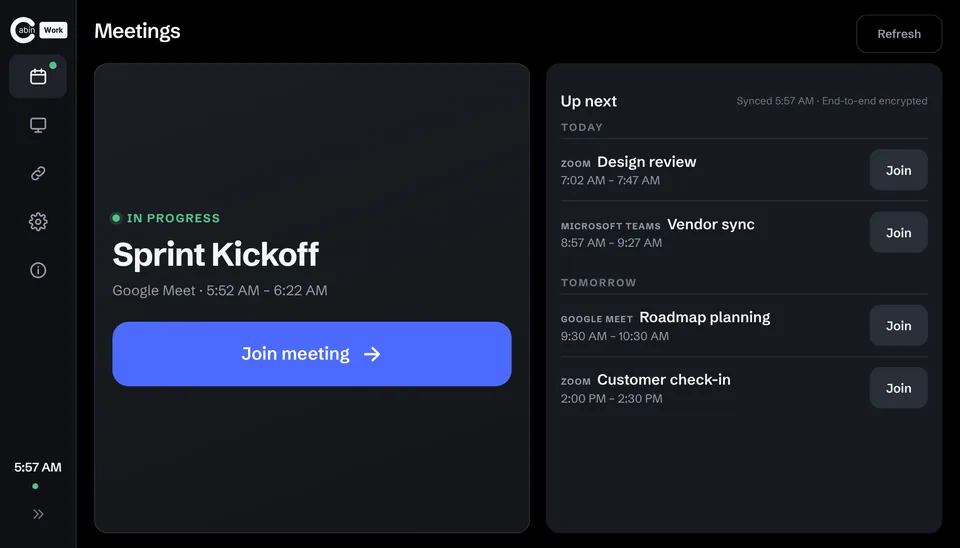
CabinWork, which is free, lists your day's video meetings on the car's screen with a Join button, synced from your iPhone's calendar. You pair the car's screen with the phone once, by scanning a code.
- How to join a Zoom meeting from your Tesla: Tesla's Zoom app, or Zoom in the browser.
- Google Meet in a Tesla: no app, so the browser is the way.
- Microsoft Teams in a Tesla: why work calendars need the iPhone.
What we have run: Zoom and Google Meet calls from our Model Y, with the cabin camera working in Park. We have not yet joined a Teams call from the car.
A second screen for your Mac
CabinWork Display puts an extra Mac display on the car's screen, with touch, without a cable. It suits reading, writing and reference windows. Use your Tesla as a second monitor for your Mac has the setup, the limits and the price.
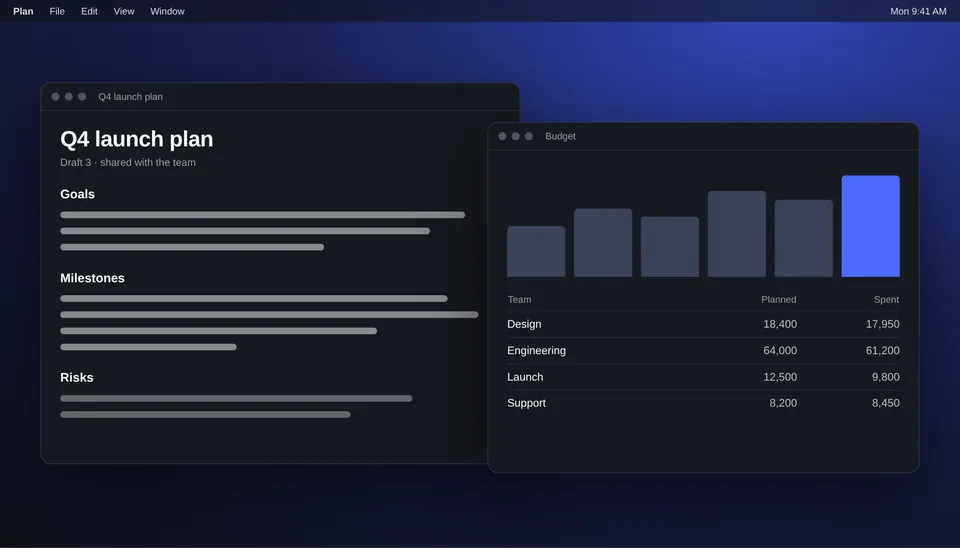
With the Mac and the car both on your iPhone's hotspot, Display can pass the picture straight through the phone. It then uses no mobile data for the picture and does not depend on the signal, which helps in the garage.
Seat and laptop
- Slide the seat back and raise the steering wheel to make room, or work from the passenger seat, which has no wheel in the way.
- The car's screen is to one side of the driver. For long reading, turn in the seat instead of twisting your neck.
- A lap desk keeps the laptop level and cooler.
An hour between appointments, as an example
- Park where the phone shows a strong signal, and turn on Camp Mode.
- Turn on your phone's hotspot. Join the car and the laptop to it.
- Open cabinwork.app in the car's browser. Your next meeting is at the top.
- Tap Join two minutes early, so the camera prompt is answered before anyone is waiting.
- After the call, start Display from the Mac's menu and put your notes on the car's screen while you write on the laptop.
- End Display, turn off Camp Mode, and then drive.
What does not work
- Anything while driving. The car's browser plays video only in Park, and CabinWork is for a parked car.
- Films on the second screen. Protected video from Netflix, Prime Video and similar services shows as black on Display.
- Windows laptops. Display needs a Mac. Meetings needs only the car and an iPhone.
- Older cars, for the camera. Websites can use the cabin camera only with recent software and the AMD Ryzen computer.
Privacy
- The car asks before a website uses the cabin camera or microphone. Allow it for the session, not permanently, in a car you share.
- People outside can see a bright screen at night. Keep sensitive windows on the laptop.
- Disconnect CabinWork before handing the car to someone else; the meeting list stays on that screen until you do.
Questions
Can I do any of this while driving?
No. Everything here is for a parked car.
What does CabinWork cost?
Meetings is free and stays free: no ads, nothing held back. Display is one subscription, $4.99 a month or $29.99 a year in the US, with a 7-day free trial for new subscribers, bought in CabinWork for iPhone. It covers Display on up to three Macs and in all of your cars.
Which Teslas?
CabinWork runs in the car's web browser. Camera and microphone in the browser need a recent software version and the AMD Ryzen computer. To see which computer your car has, open Controls, Software, Additional Vehicle Information on the car's screen.
How long can I stay in Camp Mode?
As long as the battery allows. Climate is the main draw, and it rises in very hot or cold weather, so watch the charge on a long day.
Sources
- Operating Climate Controls, Model Y Owner's Manual, Tesla. Camp Mode: what it keeps on, that it is offered only in Park, and that Sentry Mode and the alarm are off while it runs.
- Use an iPhone or iPad to connect your Mac to the internet, Apple. How a Mac joins an iPhone's Personal Hotspot.
- Tesla adds camera support to the browser in the 2026.26 update, Not a Tesla App. The report that websites may use the cabin camera and microphone while parked. This one is a news report, not Tesla's own page.
Display is $4.99 a month or $29.99 a year in the US, with a 7-day free trial for new subscribers, bought in CabinWork for iPhone.
Download on the App StoreDownload for Mac