Your workspace, wherever you park.
CabinWork turns the screen in your parked car into a second monitor for your Mac and a place to join your meetings.
Meetings is free. Display is $4.99 a month after a 7-day free trial for new subscribers.
Meetings needs an iPhone. Display needs a Mac with macOS 14 or later.
Driving? Close it.
CabinWork is made for a parked car. Never use video, meetings or the screen while driving. Tap P when you have stopped.
Made for a parked car. Slide the selector up to Drive to see what happens when you leave.
Your second monitor was installed at the factory.
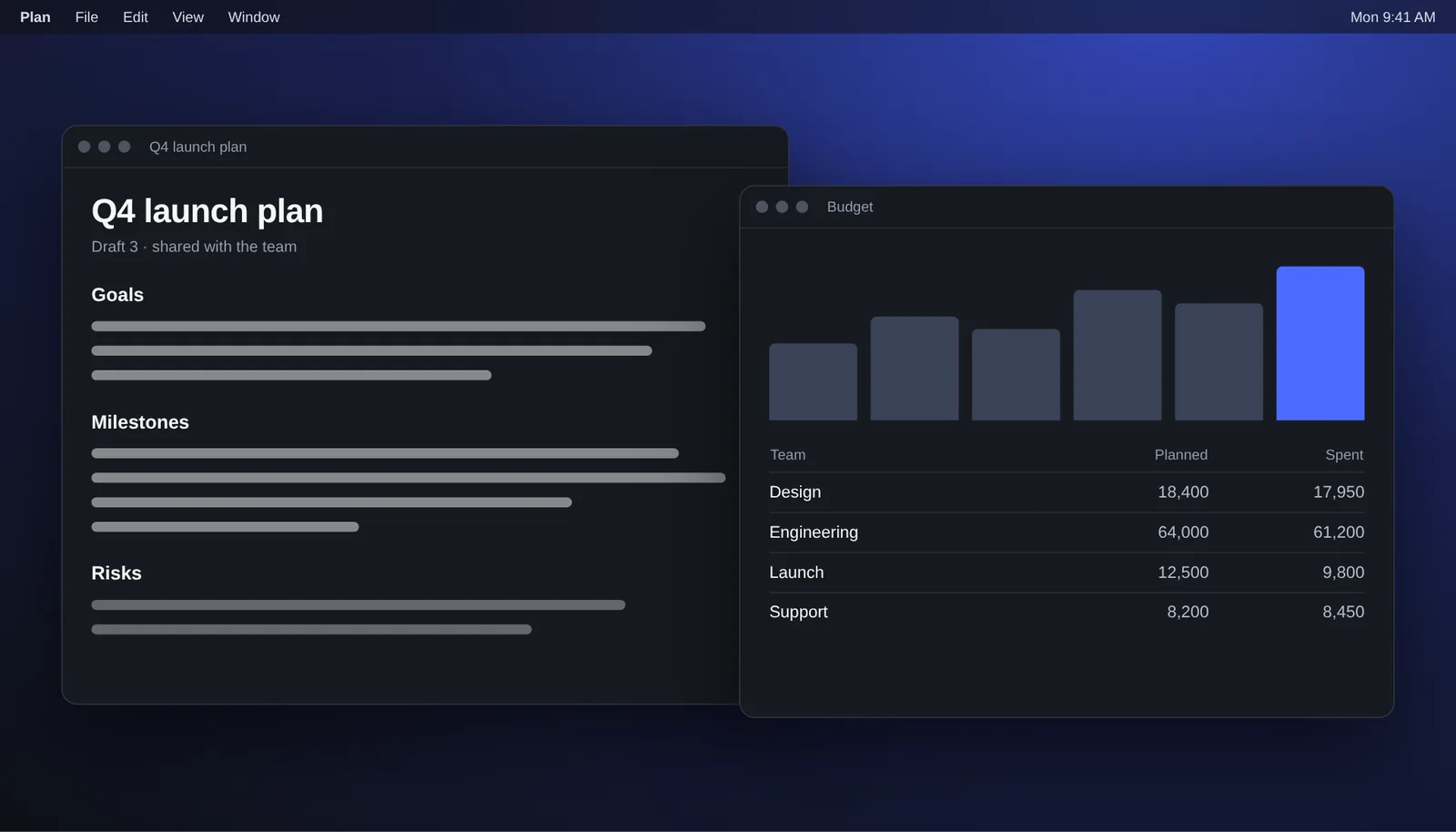
Display makes the car's touchscreen an extra screen for your Mac. Not a mirror: real space to drag windows onto, with touch, and your Mac's sound through the car's speakers.
- 3 Macson one subscription
- 1 scanof a code links your Mac, one time
- 0cables, and no Internet Sharing. Linked and started from the iPhone app
Today's meetings, already on the dash.
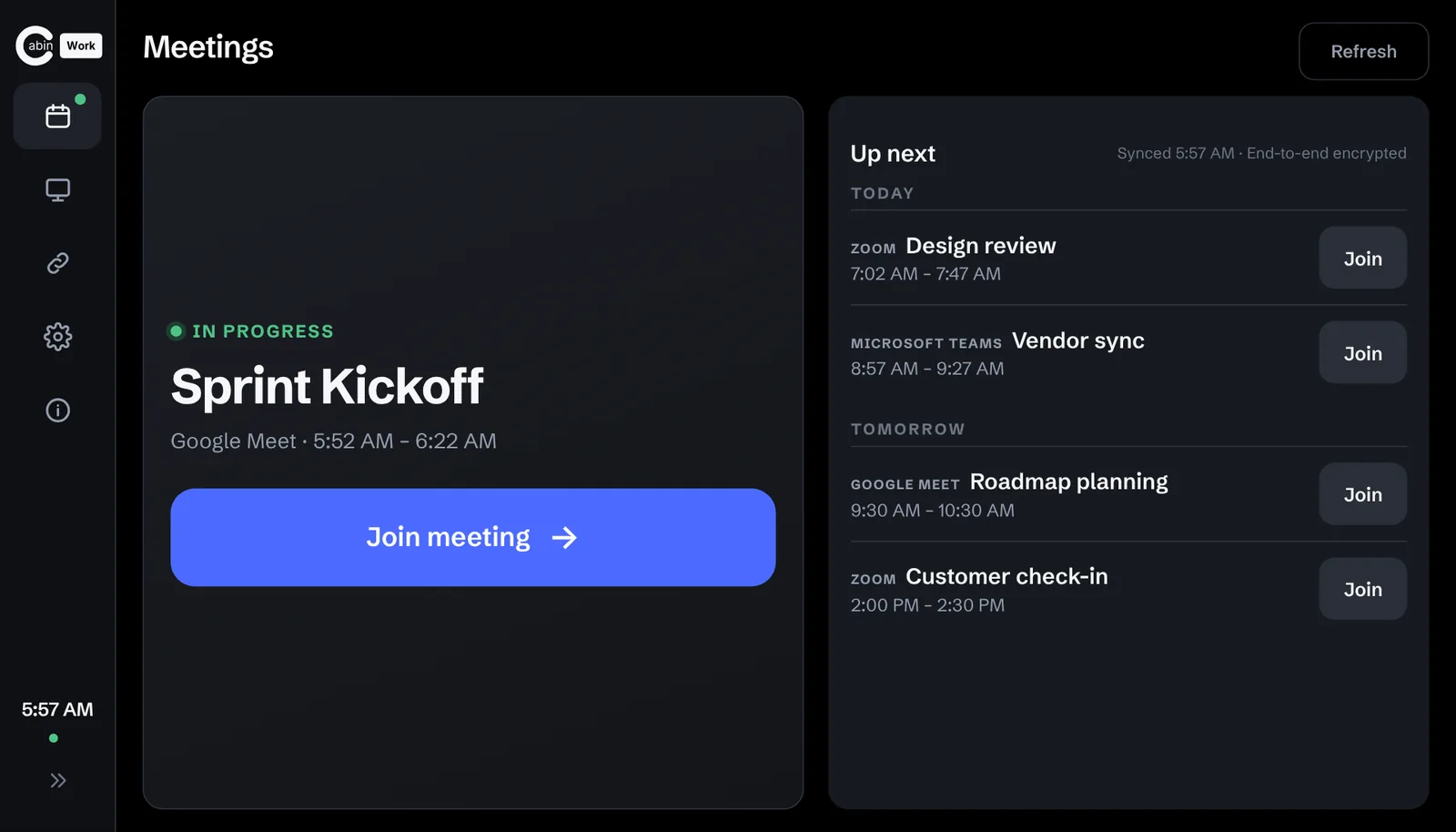
Meetings shows the video calls on your iPhone calendar and joins calendar events from Google Meet, Microsoft Teams, Zoom and Webex.
- $0Meetings is free. No ads and no trial
- 7 daysof meetings synced from your iPhone calendar
- 1 tapon the car's screen to join a calendar event
Drag a window onto the car.
Set up from the driver's seat.
See the whole setup on the real screens. Pick Meetings or Display, and tap any step to jump to it.
No cable and no Internet Sharing. The Direct connection uses your iPhone's hotspot.
Two ways your Mac reaches the car.
Your Mac and the car both join your iPhone's hotspot, and the picture goes straight through the phone. Switch it on in the iPhone app and keep CabinWork open there: with the phone locked or another app in front, Display carries on through the relay until you come back.
Works on whatever connection each end has, with nothing to set up. It uses mobile data when either end is on mobile.
Display picks between them by itself.
We have run Display on home Wi-Fi and on an iPhone's hotspot. The car's own connection and other phones' hotspots have not yet been run by us.
Meetings
Meetings is free. No subscription, no trial, no ads. An optional tip jar in the app unlocks nothing.
Display7 days free
Or $29.99 a year: save about 50% with the yearly plan. New subscribers get a 7-day free trial. One subscription covers Display on up to three Macs. You subscribe in the iPhone app. Prices are in US dollars; the app shows yours.
A portable monitor is one more thing to buy, carry and plug in. Display uses the screen your car already has.
What to know before you start.
- Protected video stays black.Netflix, Prime Video and other protected streams will not show on the car's screen.
- Run in a Tesla Model Y.We have not tested other models. Check compatibility for your own car.
- An extra screen, not a mirror.Display adds a screen to your Mac. It does not copy the one you already have.
Questions.
The short answers. The support page has the rest.
Can I use it while driving?
No. CabinWork is for a parked car. Never use the screen while driving.
What does it cost?
Meetings is free and stays free, with no ads. Display is the paid part: one subscription, bought in the iPhone app.
Which cars does it work in?
CabinWork runs in the car’s web browser. We run it in a Tesla Model Y and have not tested other models. Camera and microphone in the browser need a recent software version and the AMD Ryzen computer.
Do I need an iPhone?
Not for Meetings: on the car’s screen choose Use a calendar address and enter your calendar’s private iCal address. Display needs a Mac, and the iPhone app to link it to your cars.
Why is one of my meetings missing?
The list shows your next 7 days of meetings that have a Google Meet, Zoom or Microsoft Teams link. A meeting with no video link, or further out, is left off.
Does CabinWork see my meetings or my Mac’s screen?
With phone sync and a screen paired by its QR code, your meeting list is encrypted between your phone and the car’s screen. Display’s picture is encrypted between your Mac and the car’s screen, and nobody in between can see it.
Is Display a copy of my Mac’s screen?
No. It is an extra display beside your Mac’s own. Drag windows onto it, and touch the car’s screen to click. Your Mac’s own screen is never shown.
Does Display play sound?
Yes. Switch on Sound in the car in the Mac app, and what your Mac plays comes out of the car’s speakers while Display runs. The car’s volume control works on it.
Can I watch Netflix or Prime Video on Display?
No. Protected video from streaming services shows as black on Display, because of the services’ copy protection.
How much mobile data does it use?
The meeting list is tiny, and a call uses data like any video call. Display uses about 0.1 Mbps on a still screen and 1 to 4 Mbps while things move.
Park.Open cabinwork.app.Get to work.
Meetings is free. Display is $4.99 a month after a 7-day free trial for new subscribers.
Parked use only.